

10 Smart Speaker Buying Tips for Global Buyers

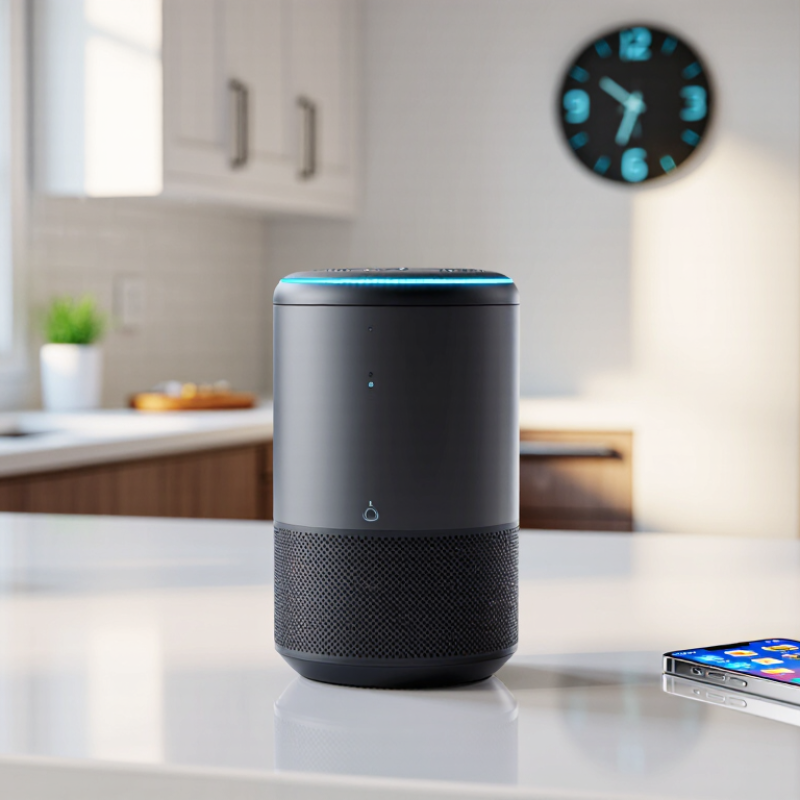
A Smart Speaker can make a kitchen timer, music playlist, or hands-free call feel effortless. Yet the right model depends on more than sound quality. Buyers also need to check language support, regional services, Wi-Fi compatibility, privacy controls, and local power requirements.

The scale of global connectivity helps explain why these choices matter. The ITU’s Facts and Figures 2024 estimates that 5.5 billion people use the internet, representing 68% of the world’s population. That still leaves major differences in access and infrastructure. IDC’s Worldwide Quarterly Smart Home Device Tracker follows regional device shipments, but shipment figures cannot tell buyers whether a speaker supports their preferred language or music service. Check those details directly with the manufacturer.

This guide turns those considerations into ten practical buying tips. It will help you compare voice assistants, microphones, audio performance, smart-home compatibility, setup, software support, and price. Look closely at the product page before purchasing. A speaker may advertise many integrations, yet omit the one your household actually uses. Small details matter. So does the return policy, especially when buying across borders. One caution: specifications can change by country and model year, so confirm them with the seller before checkout. A careful comparison will not make every choice obvious. It can, however, help you avoid paying for features you cannot use.
10 Smart Speaker Buying Tips for Global Buyers

Identify Your Listening Needs and Intended Use

Start with a room. A speaker for quiet bedroom listening has different demands from one filling a busy kitchen. Think about what you play most: spoken podcasts, acoustic music, bass-heavy tracks, or radio in the background. Speech needs clear vocals; music often benefits from fuller sound. Notice how far away you usually sit, and whether doors or open-plan spaces affect what you can hear.

Be realistic about volume. If you listen while cooking, a small speaker may struggle against a running extractor fan or clattering pans. For a desk or bedside table, strong bass may matter less than balanced sound at low volume. A larger room does not automatically require the biggest model. That can be an easy assumption to get wrong. Consider how many people listen together, too: a single listener and a family gathering rarely need the same coverage.

Your intended routine matters as much as sound quality. Check that the speaker supports the languages and services you actually use, especially if household members speak different languages. For global buyers, confirm local connectivity and power requirements before ordering. If possible, listen at a familiar volume, not only in a quiet showroom. Even then, room acoustics can surprise you. Tile floors may make voices seem sharper, while curtains and rugs can soften sound; your first impression may need a second listen.


Compare Voice Assistants, Languages, and Regional Services

A smart speaker can sound capable in a product demo and still misunderstand your household. Compare the available voice assistants by the tasks you actually use: setting timers, checking weather, controlling lights, or playing local radio. Try these requests in your preferred language, not only in English. A useful test is a normal speaking voice. No studio-perfect pronunciation needed.

Language support can vary by country and even by feature. A speaker may understand two languages but answer in only one, or handle simple commands better than names of nearby streets. If your family switches languages, test a short exchange in both. Ask for a timer, then change it using a different language. Small details matter. I would not rely on a language list alone; it can make support look broader than it feels in daily use.

Regional services deserve the same scrutiny. Check whether the speaker can access local news, music services, maps, and compatible smart-home controls where you live. Some features depend on account region, network settings, or local availability. Ask how voice recordings are reviewed and deleted, and read the device’s privacy controls before setup. A quick check is imperfect, and I may miss an edge case, but testing your own accent, services, and household routines gives a more honest picture than a feature chart.

Check Connectivity and Compatibility with Existing Devices

Before buying a smart speaker, check how it connects to your home network. Some models support only 2.4 GHz Wi-Fi, while others can use both 2.4 GHz and 5 GHz bands. If your router combines these bands, setup may still work, but the instructions should explain how. A weak signal in the kitchen can also cause dropped music or slow voice responses. Check the small details.

Compatibility matters just as much. Make a list of the devices you already use, such as a phone, tablet, television, or smart light, then confirm that the speaker supports their operating systems and connection methods. Bluetooth can help with basic audio playback, but it does not always provide full voice control. For smart home devices, look for clear support for the same control standards or hub you already have. Similar logos on a box are not proof that every feature will work.

Read the setup requirements before purchase. Some speakers need a specific app, an account, or location settings that may vary by market. Check whether your phone can install the app and whether the speaker supports your home language. A useful test is to picture setting it up beside your router, with your phone in hand. I would not assume every device will pair smoothly; compatibility pages can be incomplete, so confirm key features with the seller or manufacturer’s support documentation.

10 Smart Speaker Buying Tips for Global Buyers: Check Connectivity and Compatibility with Existing Devices

No. Buying Tip What to Check Why It Matters Buyer Action
1 Confirm Wi-Fi Band Support Check whether the speaker supports 2.4 GHz Wi-Fi, 5 GHz Wi-Fi, or both, and compare this with your router settings. A device and router need a compatible network band and configuration to connect reliably. Review the router’s network settings and the speaker’s setup requirements.
2 Check Bluetooth Details Look for Bluetooth support and confirm the intended use, such as audio streaming or phone setup. Check supported Bluetooth profiles in the specifications. Bluetooth capabilities vary; having Bluetooth does not guarantee support for every audio or control function. Match the listed profiles and functions to your devices and use case.
3 Verify Smart Home Compatibility Check whether the speaker works with the smart home platform and device types you already use, including lights, plugs, and sensors. Devices may use different platforms and control methods, even when they connect to the same home network. Confirm compatibility for each important device category before purchasing.
4 Understand Matter and Thread Requirements If you use Matter or Thread devices, check whether the speaker supports the required functions. Thread devices may need a Thread border router, and Matter setup may require a compatible controller. Support for one standard does not automatically mean the speaker provides every controller or network function needed. Check the device documentation and your existing smart home equipment.
5 Check App and Operating System Support Confirm that the setup and control app is available for your phone or tablet’s operating system and version. Initial setup, account management, and some settings may depend on the companion app. Check app availability and minimum operating system requirements.
6 Verify Language and Regional Availability Check supported voice-assistant languages, regional settings, and availability of services in your country. Voice features, content services, and smart home integrations can vary by language and region. Confirm that your preferred language and key services are supported locally.
7 Review Multi-Room and Stereo Features Check whether multi-room playback or stereo pairing requires compatible speakers from the same product family or platform. Speakers that work individually may not support synchronized playback or pairing with one another. Verify pairing rules before planning a multi-speaker setup.
8 Check Wired Audio Connections Look for an audio input or output only if you need to connect equipment by cable; confirm the connector type and its function. Ports differ between models, and a port may be input-only, output-only, or absent. Compare the speaker’s port specifications with your existing audio equipment.
9 Confirm Power and Electrical Requirements Check the supplied power adapter, input voltage range, plug type, and whether the speaker is designed for portable or mains-powered use. Electrical requirements and plug formats differ across countries; not every model is suitable for every power supply. Match the specifications to your local electrical supply and installation location.
10 Review Privacy and Network Controls Check for a microphone mute control, available privacy settings, account requirements, and options for managing network access. Clear controls help you manage voice capture, permissions, and the speaker’s connection to your home network. Read the privacy documentation and locate the physical mute control before buying.

Evaluate Sound Quality, Privacy Controls, and Smart Home Features

10 Smart Speaker Buying Tips for Global Buyers

A speaker should sound clear at ordinary volume, not merely impressive in a showroom. Play a familiar podcast and a vocal track; listen for muddy speech, harsh treble, and bass that rattles a shelf. Check performance from across the room, too. Small rooms can exaggerate bass, while open kitchens swallow detail. There is no perfect test track. NPR and Edison Research’s 2023 Smart Audio Report found that 35% of U.S. adults owned a smart speaker, making everyday listening a practical part of the buying decision.

Privacy deserves a hands-on check. Look for a physical microphone-off control, clear recording-history settings, and a simple way to delete stored voice requests. Read what the device collects before setup, not after. Pew Research Center reported in 2019 that 81% of U.S. adults felt the potential risks of companies collecting their data outweighed the benefits. That concern is not abstract. A muted microphone should have a visible indicator, and account controls should be easy to find.

For smart-home features, confirm compatibility with your existing lights, plugs, and sensors. Matter support can help devices from different manufacturers work together, but setup still varies. Check whether the speaker supports the connections your home actually uses, and whether key controls work without a cloud connection. Test a simple routine, such as turning off a lamp by voice. It should be dependable. One missed command is easy to forgive; repeated failures are not.

Verify Power Standards, Warranty Coverage, and Total Cost of Ownership

Check the adapter label before comparing features. IEC 60038 defines standard supply voltages, but it does not mean every speaker accepts every region’s input. Look for the adapter’s stated input range, such as 100–240 V, and confirm the plug fits your destination. A plug converter changes the plug shape, not the voltage. Also check whether the warranty is valid where you will use the speaker. Cross-border claims may involve shipping costs, long waits, or no local service.

Tip: Photograph the adapter label and save the warranty terms before ordering. Confirm coverage duration, claim location, and who pays return shipping.

Include electricity, replacement adapters, and possible repair shipping in total cost of ownership. The U.S. Energy Information Administration reported an average residential electricity price of about 16 cents per kilowatt-hour in 2023. As an illustration, a device drawing 2 watts continuously uses about 17.5 kWh yearly, or roughly $2.80 at that U.S. rate; actual speaker use varies by model and settings. That is not a huge bill, but it is easy to overlook. Compare measured or manufacturer-listed power use, not just the purchase price, and check whether voice features keep the device active overnight. A cheap import can become less attractive when its adapter or warranty support is hard to replace.

10 Smart Speaker Buying Tips for Global Buyers: Check Power Compatibility

Typical nominal household AC supply voltage in selected markets

Typical nominal supply is 120 V in the United States and Canada, 230 V in the United Kingdom, European Union, and Australia, and 100 V in Japan. These figures describe household mains supply—not a speaker’s input rating. Before buying, check the device or adapter label for supported voltage and frequency, confirm warranty coverage in your country, and include any adapter or replacement costs in your total cost of ownership.

Article Source:

Stay Connected

Sign up today to keep up with the newest information from one of the Southeast’s leading suppliers of fluid handling equipment!